Password Requirements
The Control portal requires all passwords to meet the following requirements, and all users must have TOTP-based (QR code) Multi-factor Authentication.
- Minimum of 12 characters
- At least 1 of each: Uppercase, lowercase, number, and symbol
Using Microsoft 365?
If you're using the Microsoft 365 SSO integration, you should reset the user's password in the Microsoft 365 admin center, not by following this guide.
Resetting User Passwords
- Log into the 1Stream phone system.
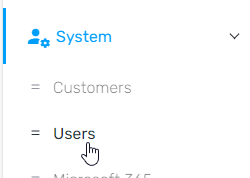
- Go to System > Users on the left-hand side.
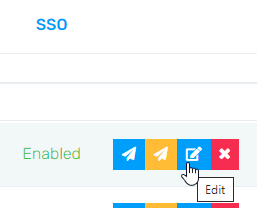
- Find your desired user and click the Edit button
- Go to the Security tab

- Set a new password and click Change password
