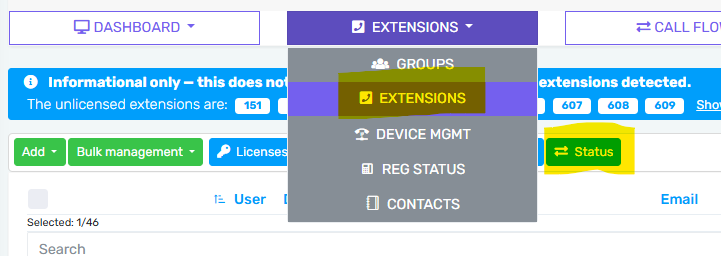
In addition to our previously announced User Queue Status, we have deployed a new feature in the control portal that allows you to control the standard User / Extension status. Once you have navigating to a specific account, and then to the Extensions menu, you will see a top menu item called Status.
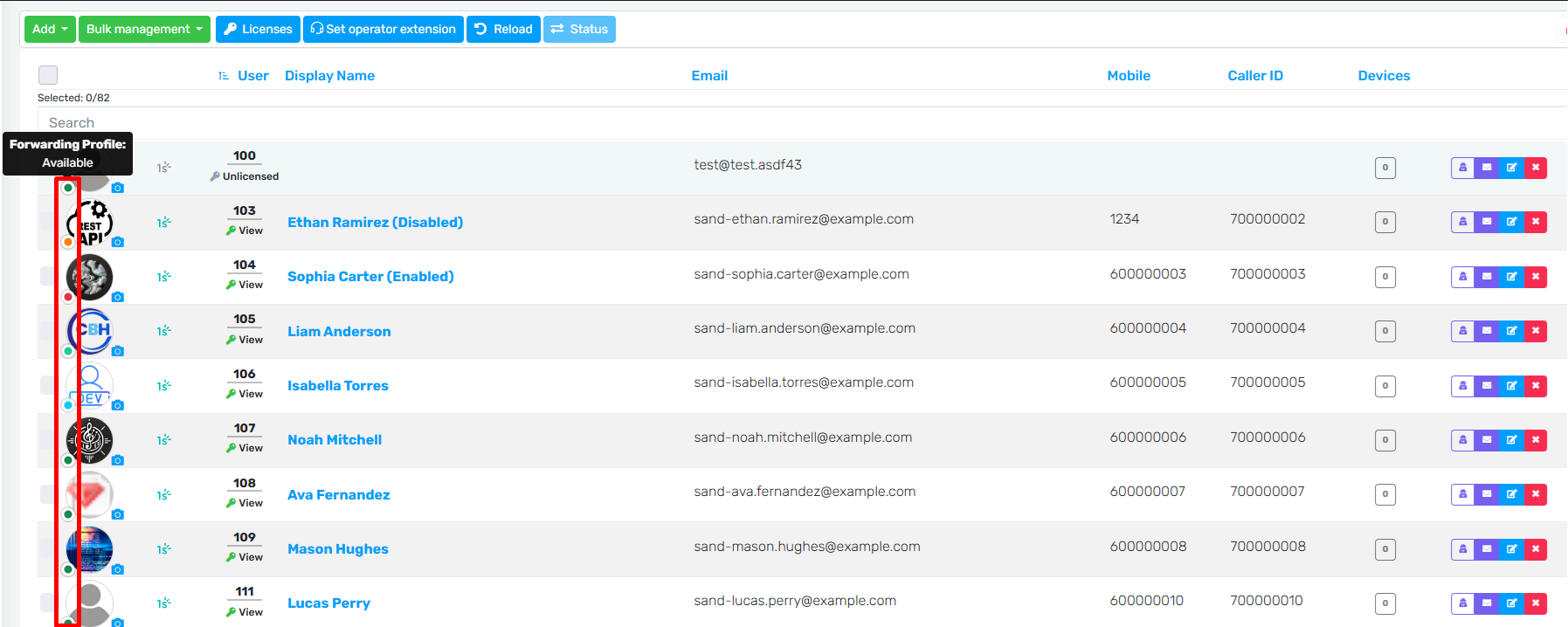
You can hover over the status circle at the bottom left of a user's icon to see the current status.
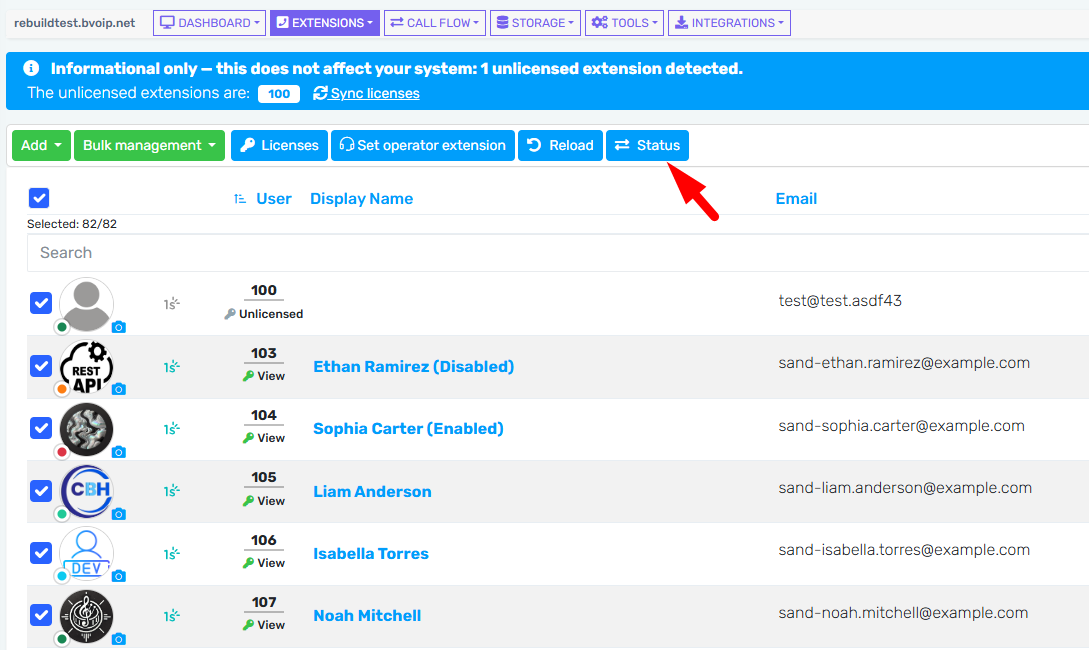
You can then select one or multiple users / extensions and press the status menu button to make a change.
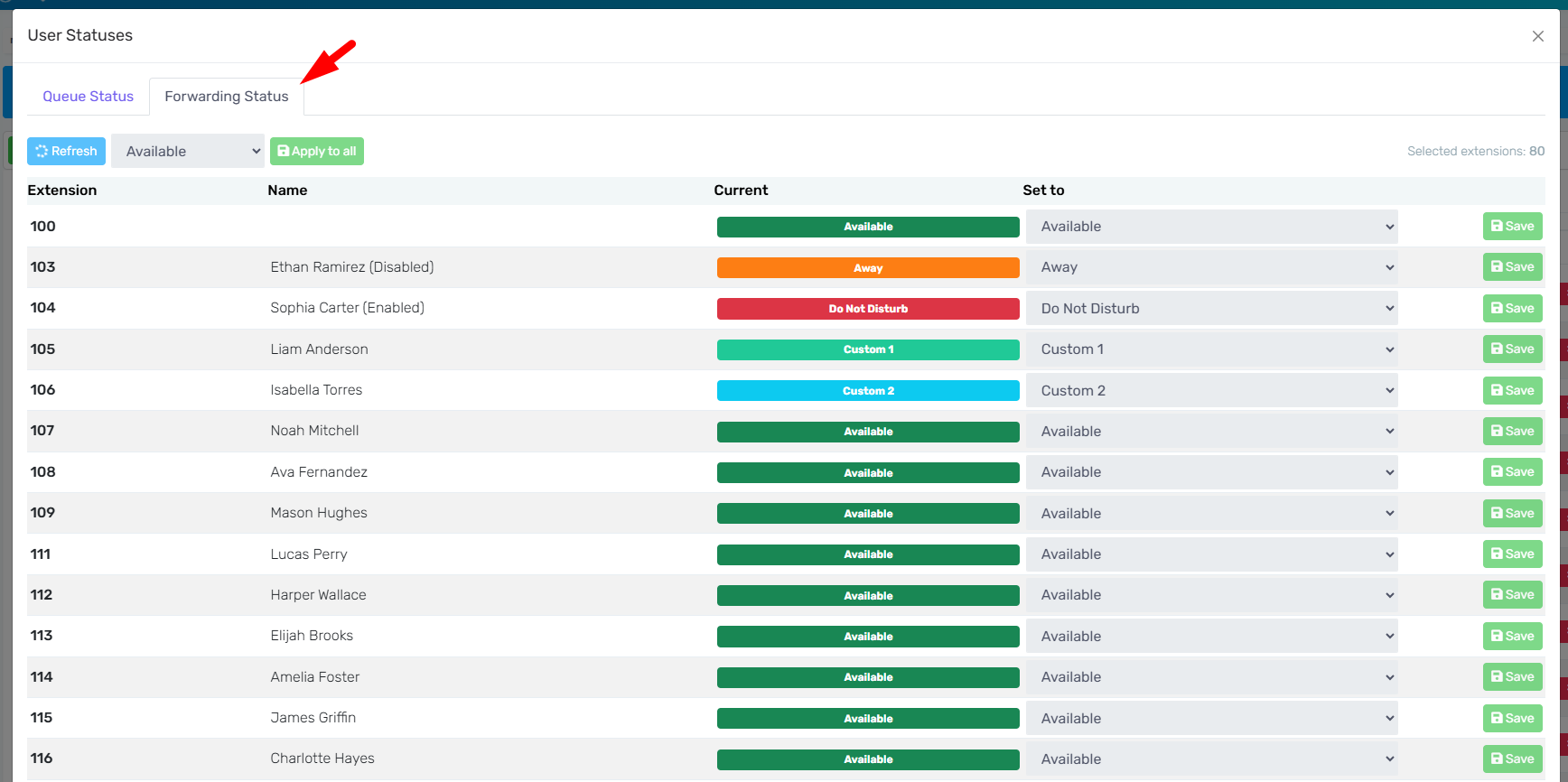
You will have a new tab where you can manage all extension's statuses: