Phone System Enterprise Required
Phone System Enterprise Required
This feature is available for only Enterprise licensed phone systems, which is different from the 1Stream Enterprise user license. If you don't have this and would like this feature to be available, please reach out to your Sales Representative to upgrade user licensing.
Enabling/Disabling Stop-Start Recording
By default, with or without the license, all users have this feature. You must have the additional license to DISABLE this capability.
- Go to Extensions > Extensions in the phone system
- Select the Edit button beside the desired extension.
- Go to the Options tab.
- Scroll down to the Call Recording section.
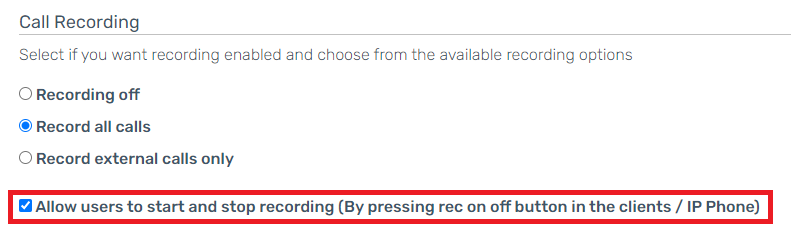
- Click on the Checkbox for the Allow Users to Start and Stop Recording (By pressing rec on off button in the clients / IP Phone) option.
- Select the Save button.
How to Use
When call agents are on a call, the option to start or stop recording will be available on the dialpad. If you are using the webclient, the recording button will be blue when recording and grey when not.