If emails from the phone system are not coming though from the 1Stream phone system for items such as voicemails, there's a way to correct this issue. This will also correct issues where the voicemail indicator light gets reset despite having unchecked voicemails.
Resetting the SMTP Service
- Log into the 1Stream phone system.
- Go to the Dashboard menu.
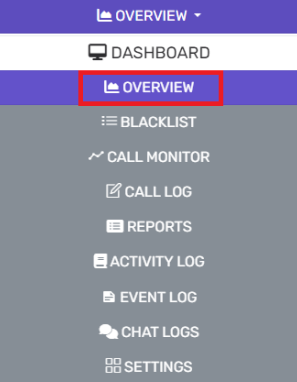
- Go to the Overview subsection.
- Scroll down the PBX Status section.
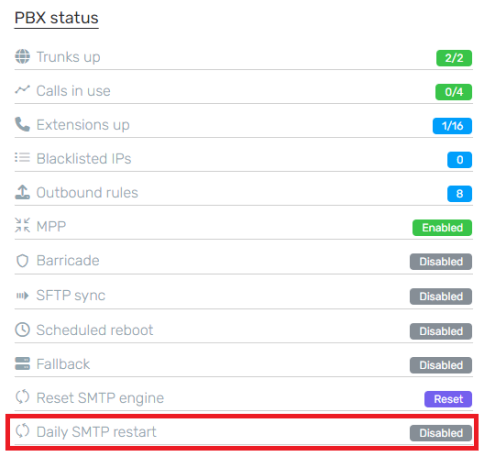
- Scroll down to the Daily SMTP Restart option.
- Click on the Disabled button to activate. If you wish to Disable this feature, click on the Enabled button.

Rebooting Frequency Notice
We recommend that phone system services are rebooted often as possible in addition to the steps above to prevent emails from being stuck proactively.